For people who already know what they need to do — and just need their phone to cooperate.


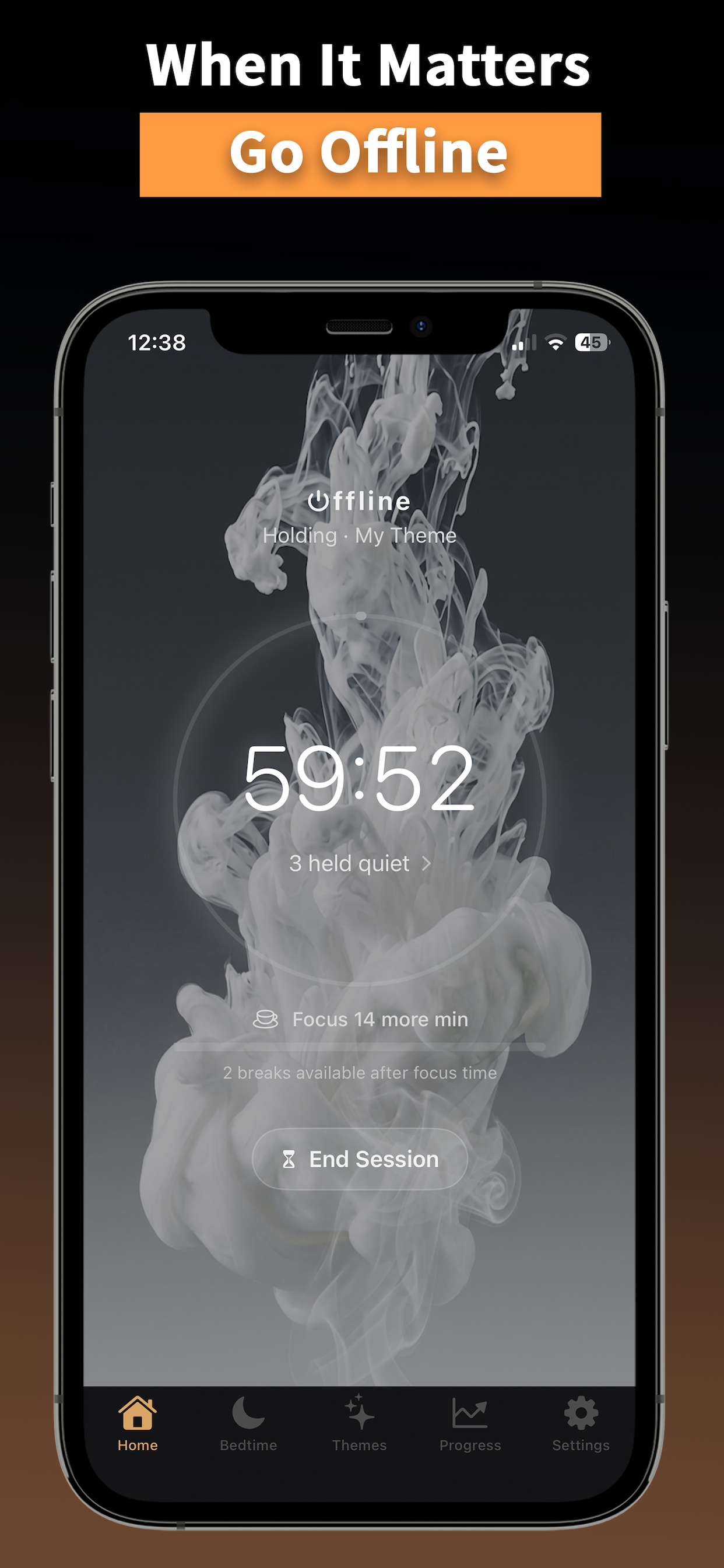
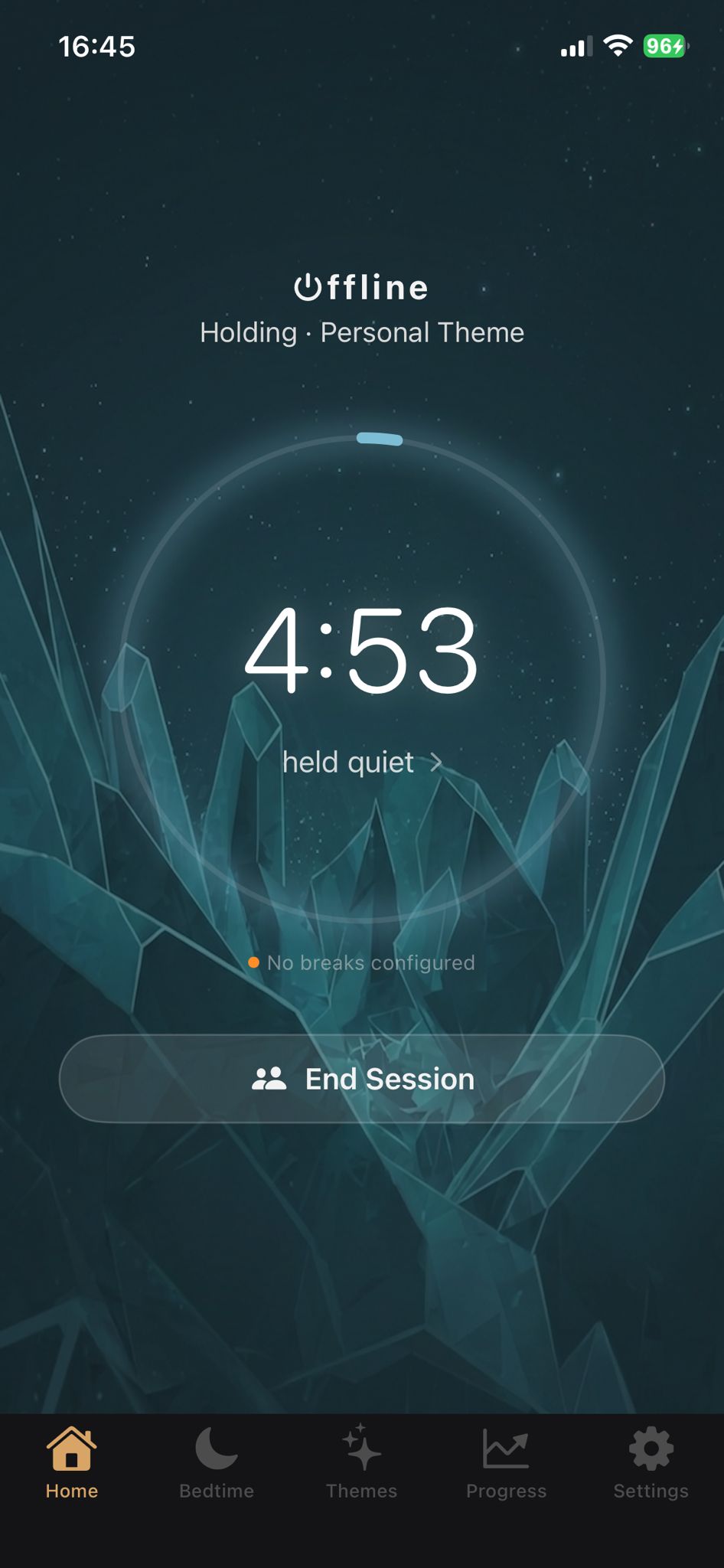
When a session starts, the apps you chose go quiet. Not hidden behind a nudge you can dismiss. Not blocked by a phantom setting. Actually gone, until you decide you're done.
How it works

Powered by Apple's Screen Time infrastructure — the same system behind parental controls. When something is blocked, it's blocked. Not nudged. Not delayed. Blocked.

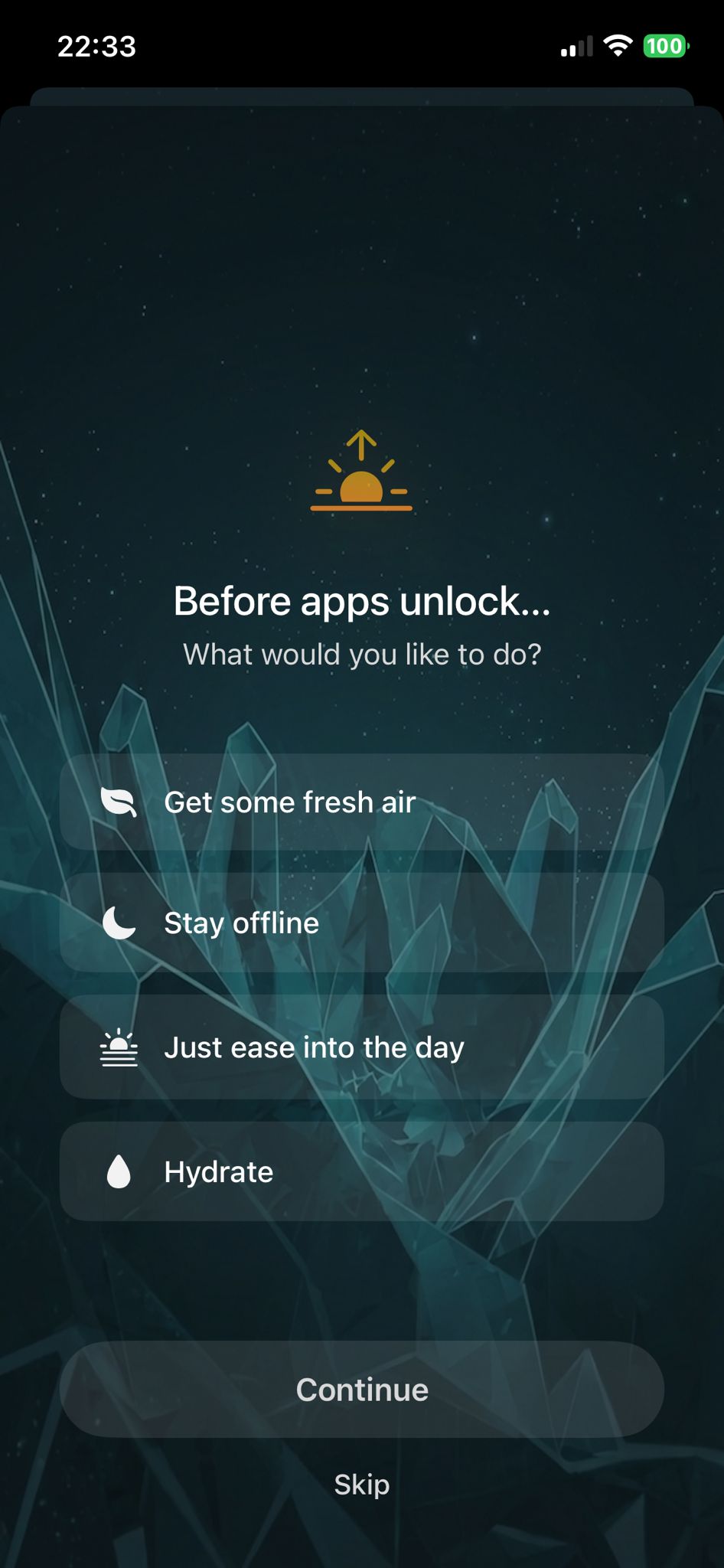
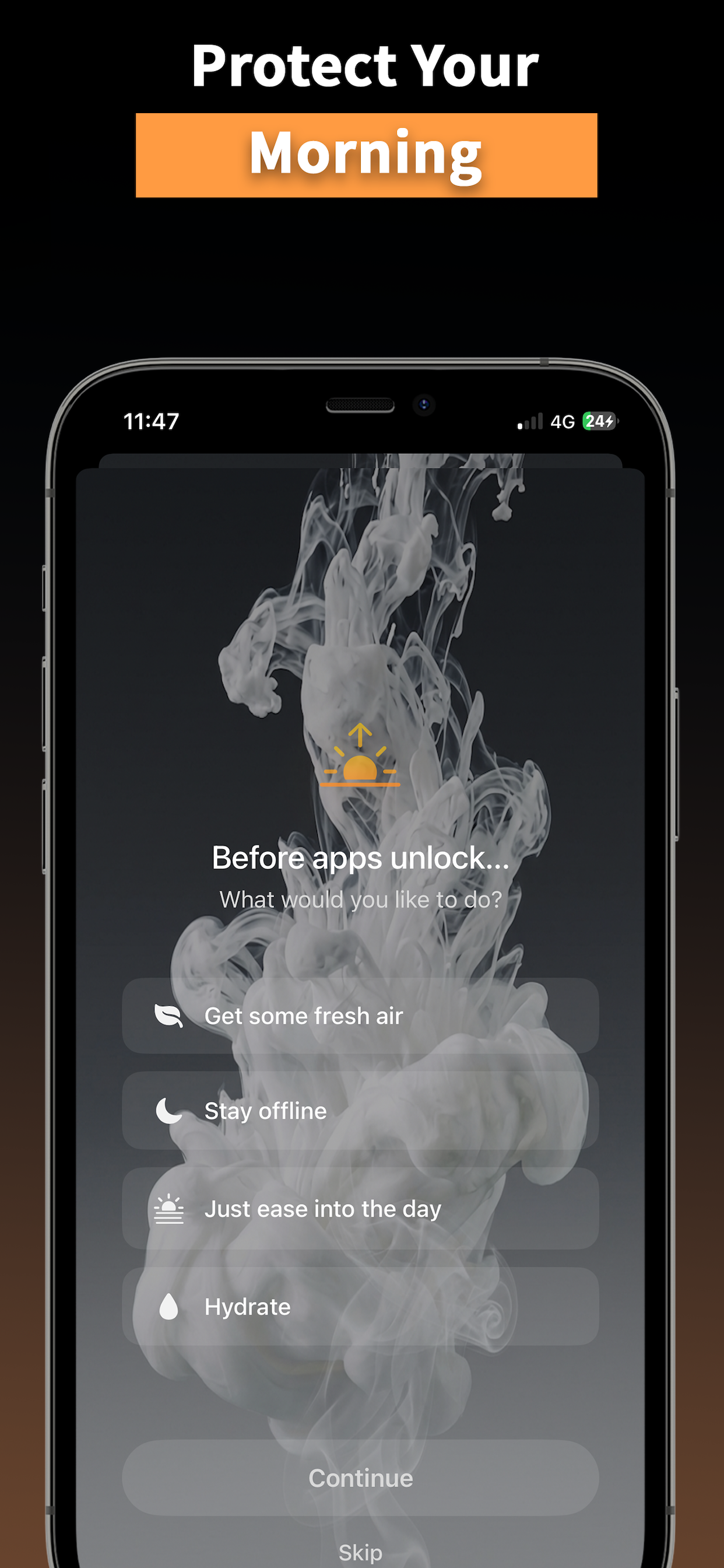
Your apps don't open until you decide how your day starts. Choose your intention — move a bit, plan your day, stay offline a little longer. Then your phone opens.

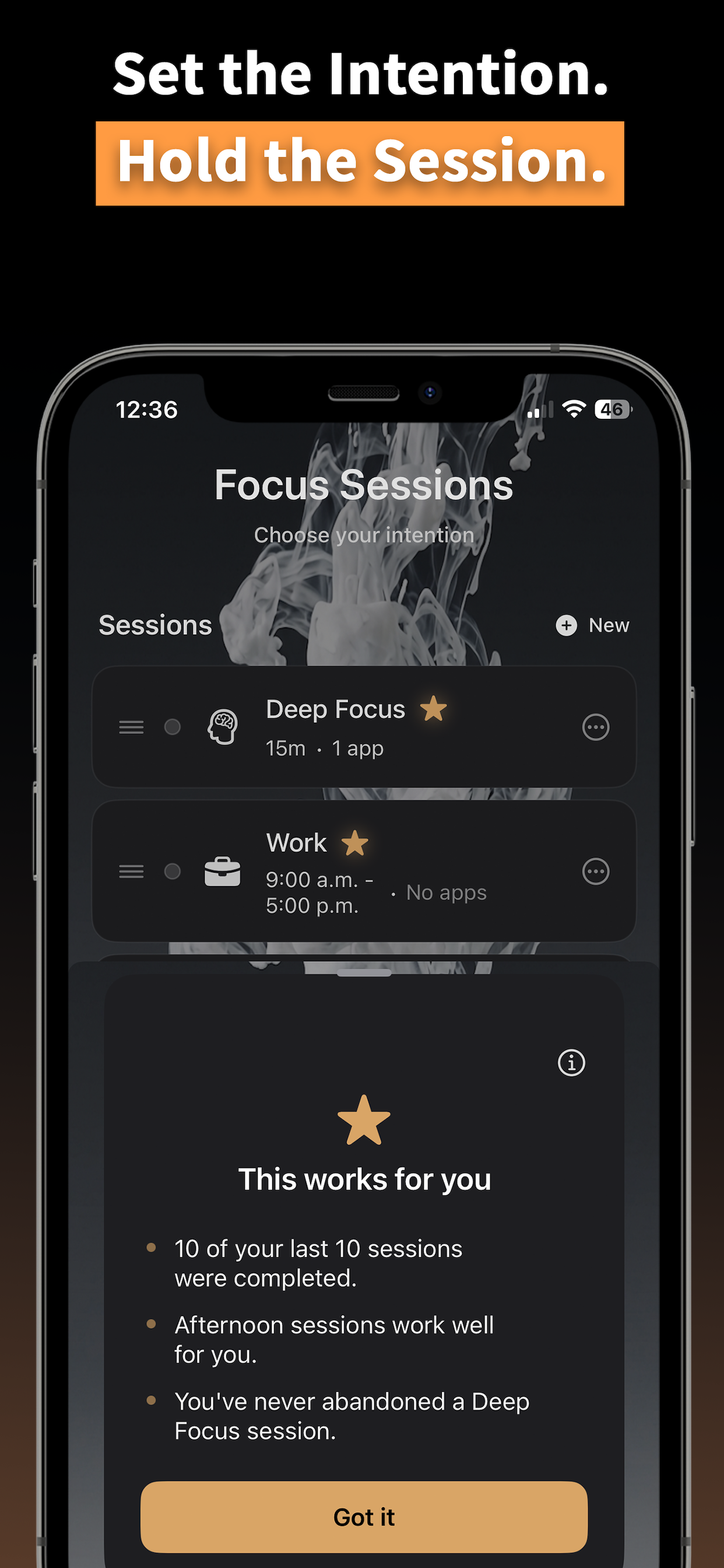
Choose a starting point or personal theme, set your duration, start. The app tracks time toward a daily target you define — not one we set for you. It learns your patterns on-device.

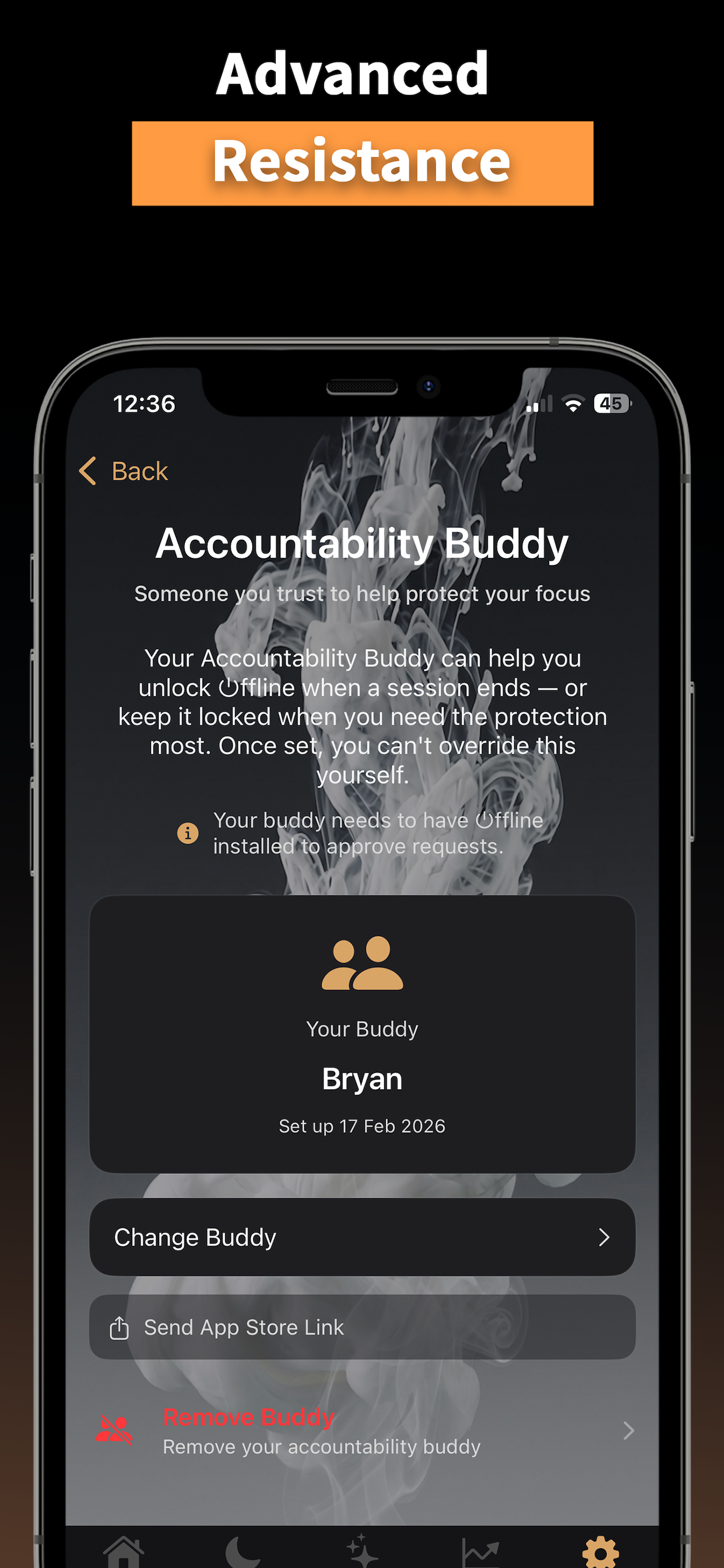
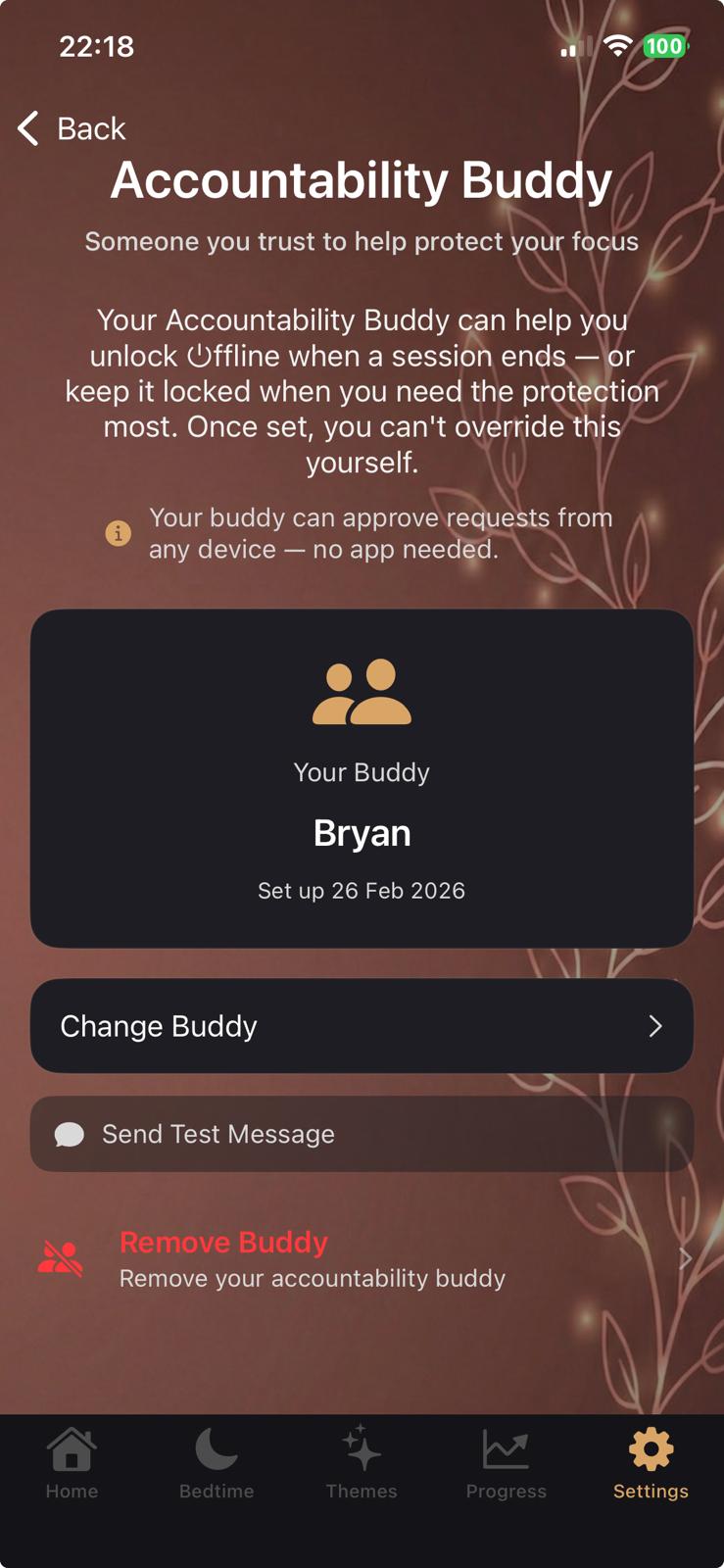
To stop early, someone else has to stop you. They get a message with a link; they need ⏻ffline installed to approve or deny. Messages should stay unblocked on both sides. You can't quit alone. No other focus app does this.

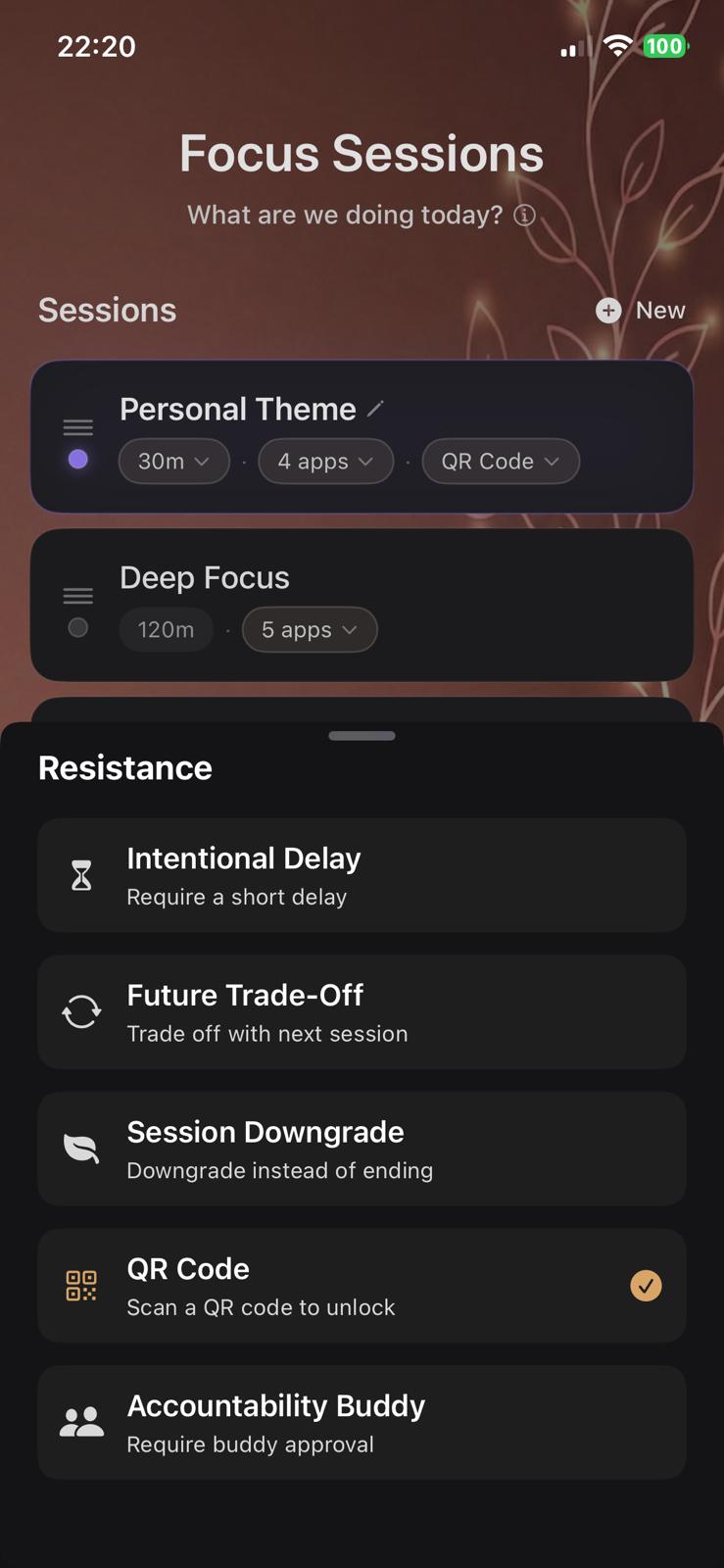
Intentional Delay, Future Trade-Off, Session Downgrade, QR Code, Accountability Buddy. Each one makes stopping more intentional. You choose how hard you make it.

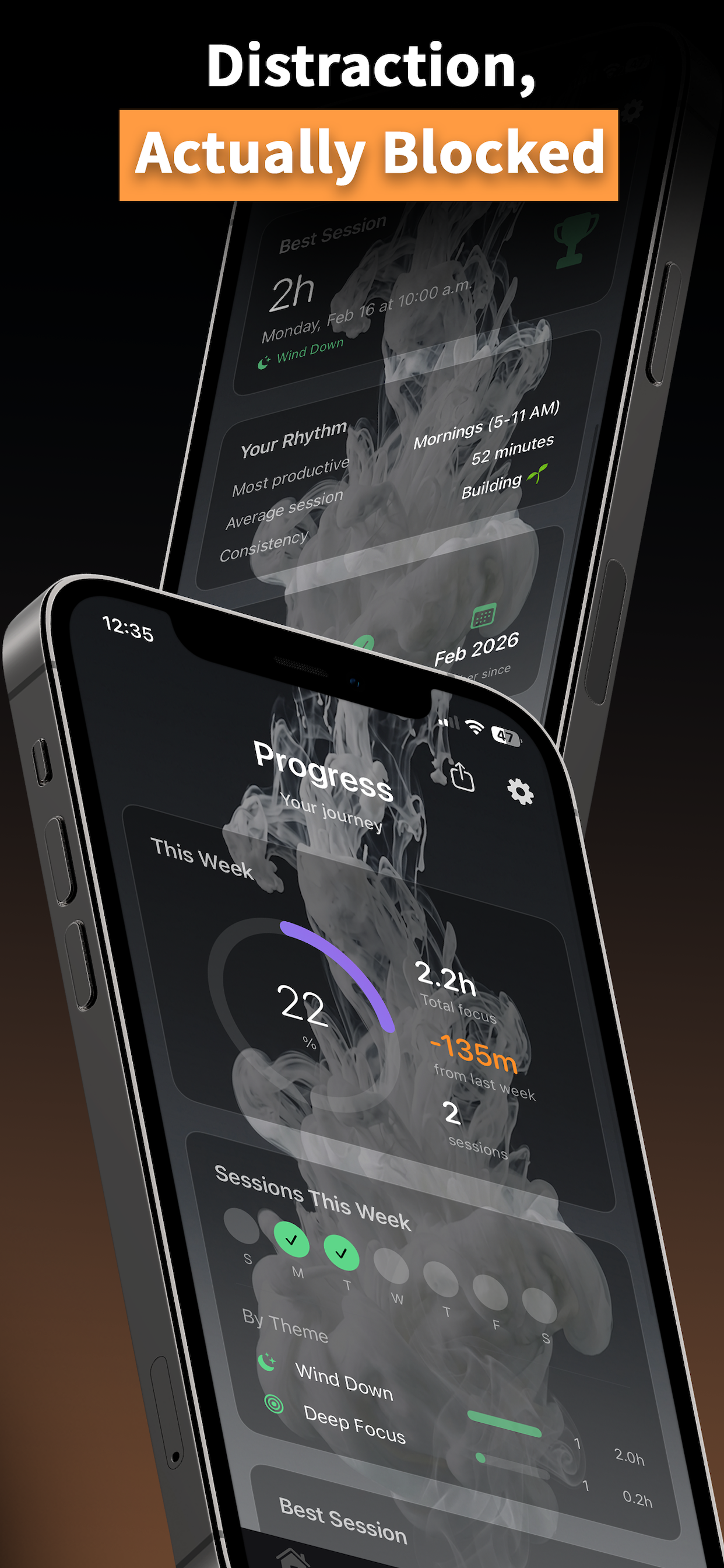
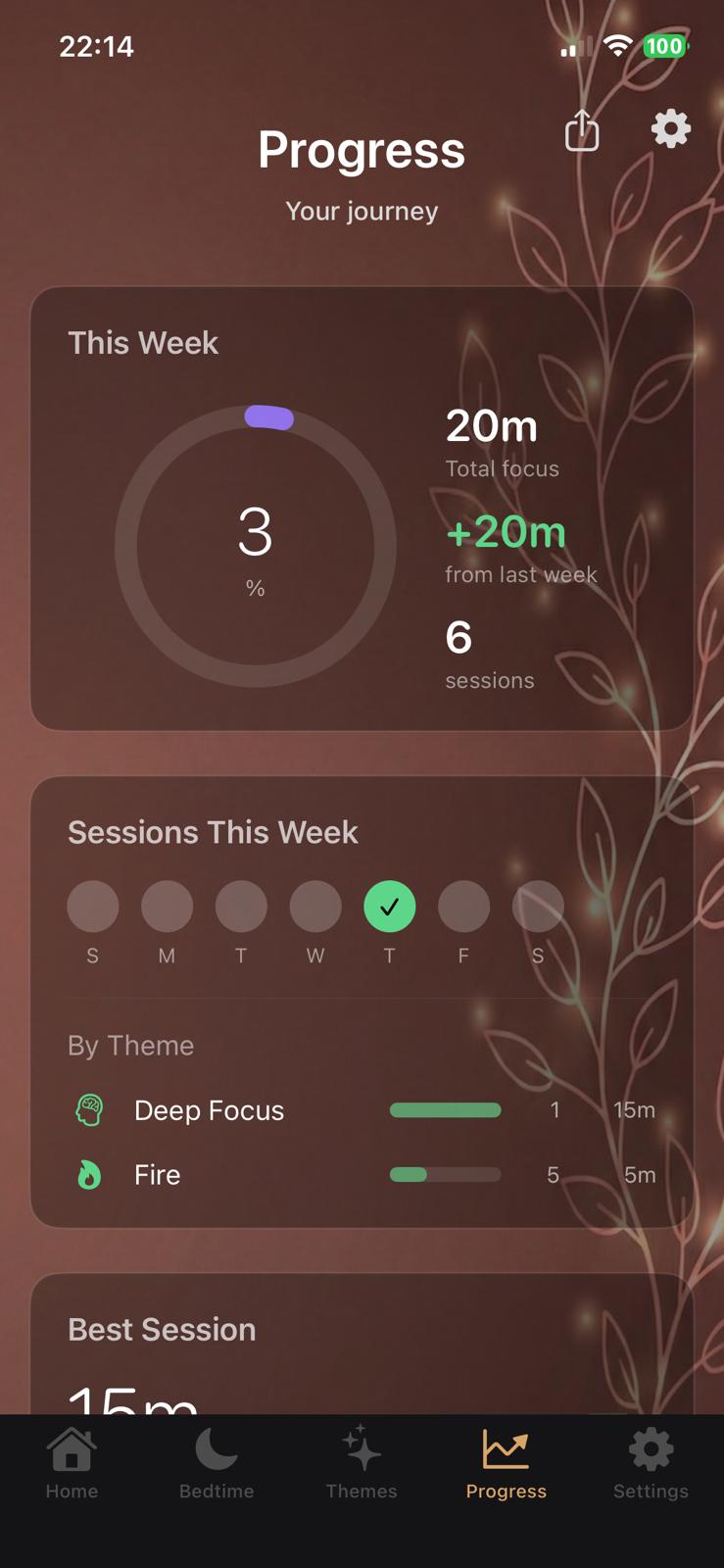
Your rhythm, your best session, your consistency. We observe. We don't keep score. Just a quiet acknowledgment that something is taking shape.
Resistance modes
Choose your resistance before a session starts — while your future self still has good intentions.
A countdown before the session ends. Enough time for an impulse to pass. Enough time to decide you actually meant it.
End a session early and your next one starts with one fewer break. No extra focus time before breaks — you simply lose a break slot next time. The cost is shown before you confirm.
Not ready to stop, but hitting a wall? Step down to a lighter session instead of quitting. Progress over perfection.
To end early, scan a code. The code lives somewhere else — another room, a drawer, a friend's wallet. Distance is the point.
To stop, someone else has to stop you. They get a message; approval happens in ⏻ffline — your buddy needs the app installed.
Only app that does this
Morning ritual
Every other focus app tries to fix your afternoon scrolling. ⏻ffline intercepts the moment the day begins — before the algorithm gets its first foothold.
The philosophy
It's trying to get out of your way. No gamification. No nudges. No guilt. No streaks. Just you and the work in front of you.
We observe. We don't keep score. Nothing to check except the work in front of you — we don't reward you for focusing, that's not ours to give.
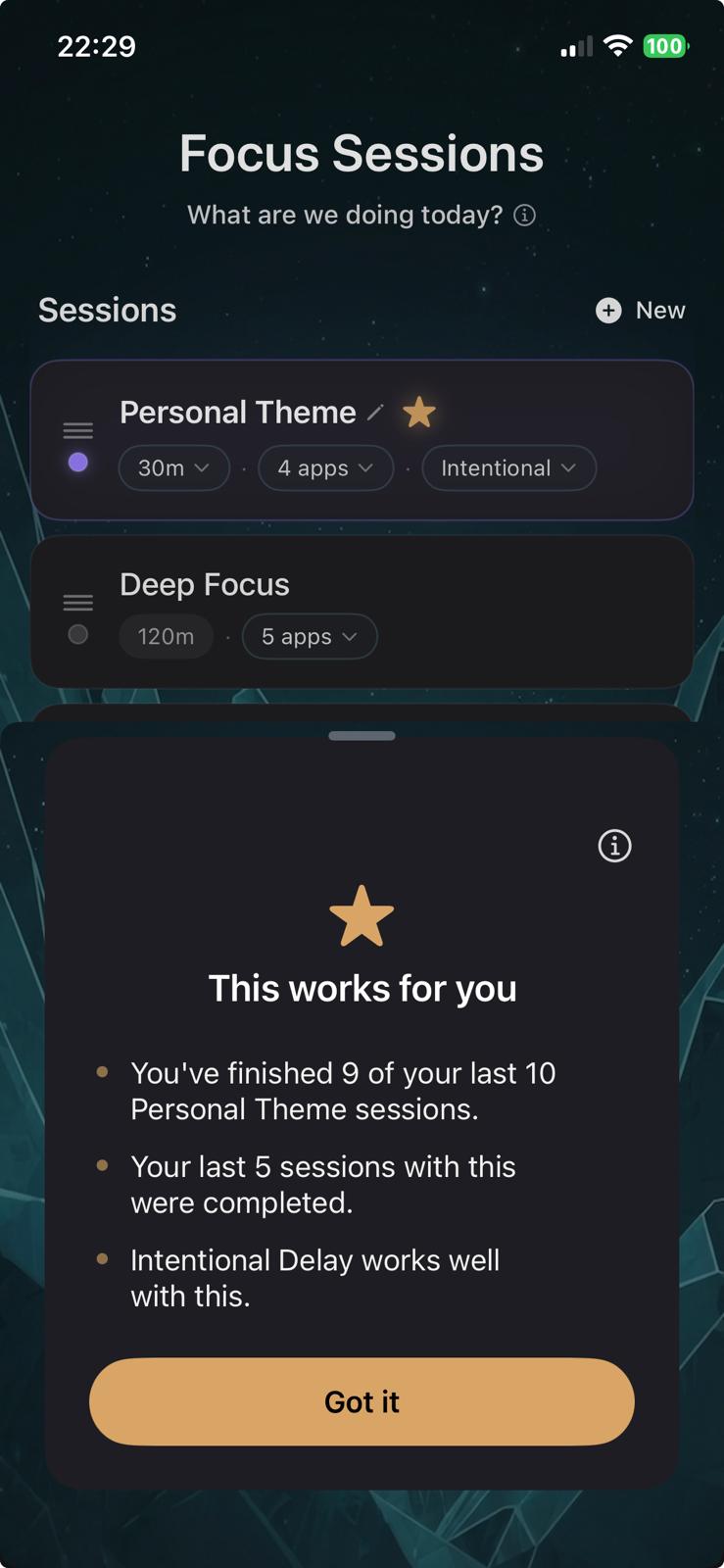
Browse starting points like Short Sprint, Gym, and Wind Down first. Flow State and Deep Work unlock after five naturally completed sessions. Wind Down also needs allowed apps set for Session Downgrade. Spa unlocks after five sessions, like Deep Work. Personal themes are yours to configure — the app learns on device and surfaces what fits.
You choose what gets blocked. You choose Easy or Hard difficulty in Settings. Hard Track is what the app calls the path that unlocks after five sessions completed to the timer — where QR Code and Accountability Buddy become available. You choose when a session ends — or ask someone else to hold that decision for you.
Apple's Screen Time infrastructure. The same system behind parental controls. This isn't a timer layered over temptation. It's commitment.
The app learns your patterns locally. Your focus history is yours. No account needed. No server holding your habits. Delete the app and it's gone.
Focus themes
Quick Focus for when you need quiet fast. Themed sessions when the shape of the session matters — each has its own apps, duration, resistance, and breaks.
Wind Down unlocks when you configure allowed apps for Session Downgrade (Settings). Flow State and Deep Work unlock after five naturally completed sessions. Spa unlocks after five sessions, like Deep Work. Short Sprint and Gym are there from the start. Template names and resistance stay fixed; personal themes are yours to tune.
None of them reward you for showing up. That's the point.
Pricing
No free tier. No feature limits. No credit card to start. Just the full app for 7 days — then a decision.
7-day free trial included · No credit card required to start
Cancel anytime via App Store · Refunds handled by Apple
Privacy first
We don't have a server full of your focus history. We don't need one.
On-device learningThe app learns your patterns locally. Your focus data is yours — no account, no upload, no profile built on your habits.
Screen Time infrastructurePowered by Apple's own parental control system. No workarounds. No tricks. The blocking is real because the technology is real.
No accounts requiredNo sign-up. No email. No tracking. The only thing that touches our server is an Accountability Buddy unlock request — and even that doesn't store your data.
For when it matters.
7 days free. No credit card. iPhone only.